Bookings, payments, staff shifts, inventory and song rights in one place, with an AI manager that automates the operations, so your team runs sessions instead of chasing admin.
Rooms, staff, gear and invoices stay in sync automatically. Every booking flows through the studio on its own, so nothing slips and no one chases paperwork.
Step 1
Booking
Booked online, deposit auto-collected
Step 2
Room
Auto-assigned, never double-booked
Step 3
Staff
Engineer scheduled to the room
Step 4
Inventory
Gear checked out to the session
Step 5
Session
Hours tracked while the room runs
Step 6
Invoice
Balance auto-invoiced and paid
FEATURES
Recording studio management software
Run the whole studio from one place
Bookings, scheduling, inventory, payments and song rights live in one system, and an AI manager runs the day-to-day, so you stop stitching apps together and chasing admin.
AI operations manager
Automates the busywork: chases unpaid deposits, follows up on leads, fills cancellations and flags scheduling and payment risks before they cost you. It only ever sees your studio.
Bookings and deposits
Public booking pages take deposits straight to your own Stripe account. You keep 100 percent, with no per-booking fees.
Staffing and scheduling
Schedule engineers and assistants to rooms and sessions in one calendar. Everyone sees their shifts, and no session runs unstaffed or double-booked.
Inventory tracking
Track every mic, plugin and piece of furniture, check gear out to rooms and sessions, see license renewals and repairs coming, and know what each item is worth.
Songs, splits and rights
Move every song from demo to release, lock split sheets with e-signatures and store ISRC and ISWC. Pulse holds a release until the splits are signed.
Payments and cash flow
Invoices, deposits and revenue in one place, with your bank balances beside them. Snap a receipt and Pulse matches it to the transaction and the expense, then builds the profit and loss from all of it.
My Studio Pulse · Free on the App Store
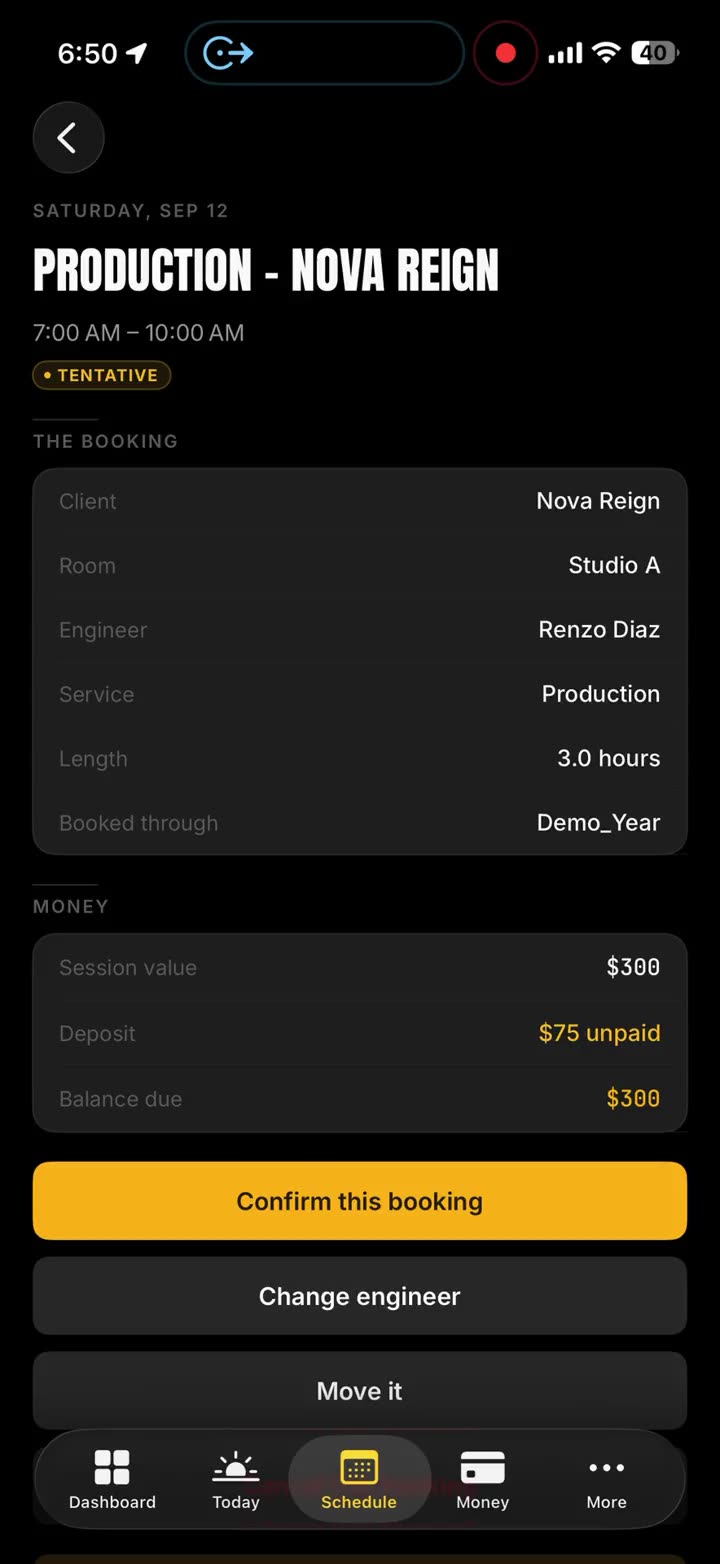
Run the studio from your iPhone
The free iPhone app for studios on Pulse. Your team clocks in from their phones and tracks the schedule. You see bank balances, receipts matched automatically and what each client owes, on the same accounts you use here.
Tell us about your studio and what you need. We'll get back to you personally, usually within a day.
ANSWERS
Recording studio software FAQ
Studio software, answered
Do I need a separate payment processor?
No. Pulse connects your own Stripe account, so client deposits, invoices and payments land directly in your bank. Pulse takes no cut of your client payments.
Do my clients need an account to book or pay?
No. Your booking pages, deposit links and invoices are public and token-secured. Clients book and pay without signing up for anything.
Can I cancel or change plans anytime?
Yes. Plans are month to month with no contract, or yearly with two months free. Upgrade, downgrade or cancel any time from your billing portal, and changes are prorated. See every plan on the pricing page.
What does the AI studio manager do?
It runs the operational busywork for you: chases unpaid deposits, follows up on new leads, fills cancellations, drafts client replies, flags no-show and scheduling risks, and scores your studio's profitability so you can see where to make more money. It works inside your studio only and never sees another studio's data. Included on the Growth and Max plans.
Does Pulse handle song splits and rights?
Yes. Move every song from demo to release, capture each contributor's split, collect legally binding e-signatures, and store ISRC and ISWC. Pulse holds a release until the split sheet is fully signed, so no song goes out with an unsigned split.
Can I bring my whole team?
Yes. Every plan includes team logins with roles and no per-seat fees. Growth and Max add the staff schedule, clocking in on a phone and payroll, so engineers and managers all work from the same studio workspace.
Is the booking page branded as my studio?
Yes. On every plan your booking and payment pages carry your studio's name, logo and colors. Growth puts your brand inside the app, and Max puts the whole app on your own web address.